3. Use VidyoInsights
This section contains information on how to use VidyoInsights.
VidyoInsights is a performance monitoring system and analytics tool available for on-premises and private cloud customers to verify and track VidyoPlatform infrastructure components (VidyoPortal and VidyoRouter), applications, and events.
This section provides detailed information about the benefits of the VidyoInsights performance monitoring tool as well as how to set up users so they can query data metrics from the dashboards.
Benefits
VidyoInsights aggregates data from multiple components and generates visual dashboards for quick access to real-time and historical information. Admin users can easily filter, view, and export dynamic online graphic displays of license consumption and server utilization, and Call Detail Records (CDR) tables.
Vidyo Overview dashboard

System dashboard
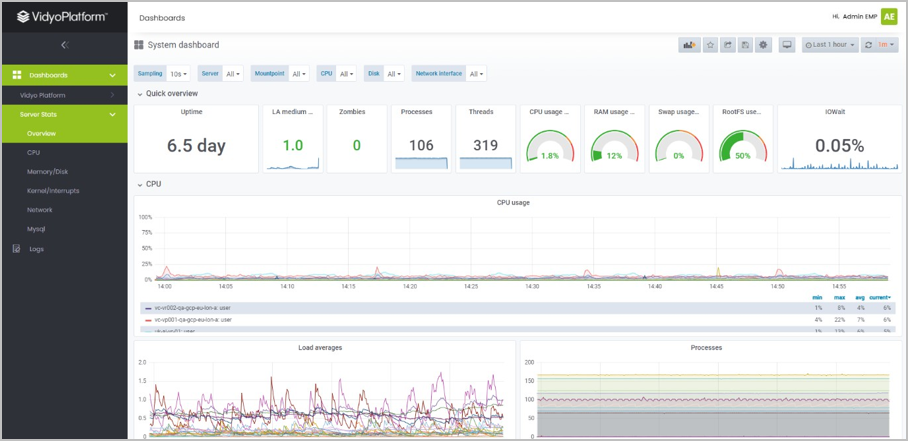
The VidyoInsights dashboards provide the following benefits:
- Correlate and analyze disparate data — bring data together under a seamless experience to help system administrators visualize and understand statistics from infrastructure and applications
- Know how users are connecting — optimize user experiences and workflows when you understand what type of endpoints employees are using to join video meetings
- Spot trends for improved business planning — understand usage patterns to justify or adjust your licensing model to avoid hitting limits
- Identify issues in real-time — proactively monitor server-level statistics and understand failure rates (future)
Log in and out of the Dashboards
To log in and out:
- To run VidyoInsights, open a browser and type the URL.
- To log in, type your username and password, and click Log In.
- To log out, on the top right of the Dashboards page, click your name, and then click Logout.
Dashboards
VidyoInsights uses the concept of "dashboards." Let's get started.
- Understand usage
- Understand activity
- Understand licensing
- View server metrics
To help you better understand usage, activity, and licensing, VidyoInsights aggregates data from the VidyoPortal and VidyoRouter infrastructure components and displays it on dashboards. Admin users can also access server metrics.
Understand usage
View current usage statistics and historical data for selected timeframes*.
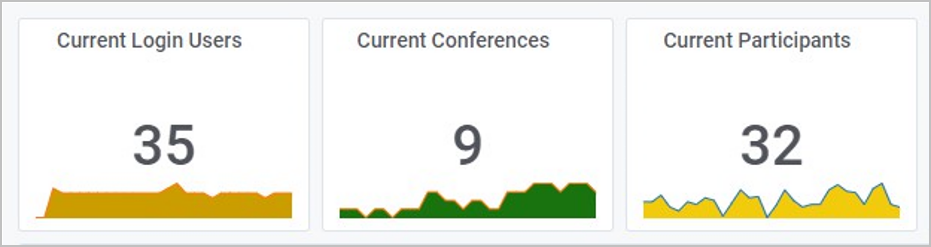
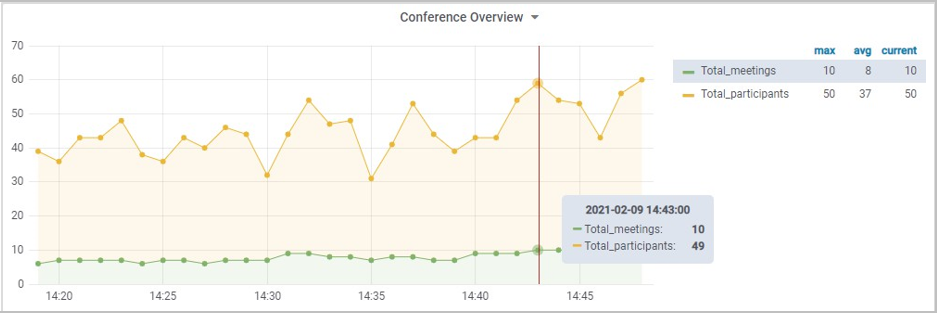
The usage dashboards are:
- Current status — real-time stats on the number of active users.
- Usage summary — historical data for selected timeframes*, including number of video or voice minutes, number of unique conferences, and number of active users.
|
Note *Data snapshots are captured every 10 seconds. |
Understand activity
Understand your active registered users, active endpoints, and number of calls by application.
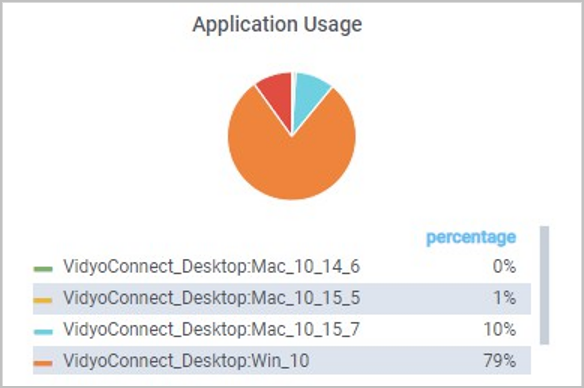
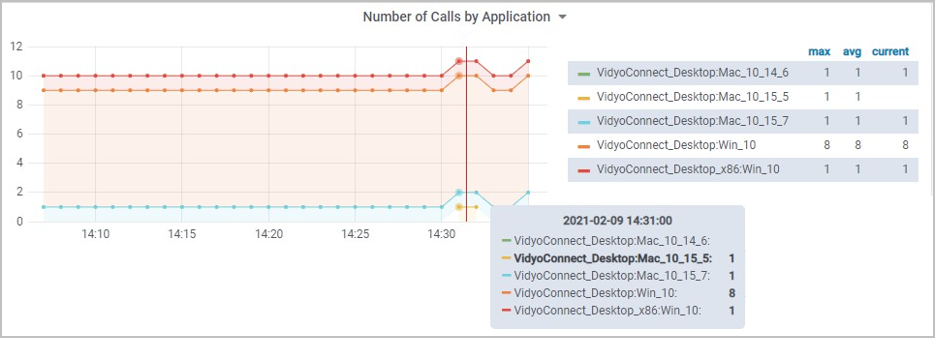
The activity dashboards are:
- Number of Active Registered Users
- Number of Active Endpoints
- Number of Calls by Application
- Maximum Concurrent Participants (Lines) — peak lines usage over time
Understand licensing
Monitor your license consumption for VidyoLines, client installs, and seats.
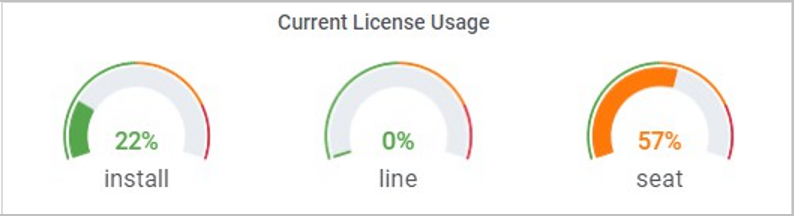
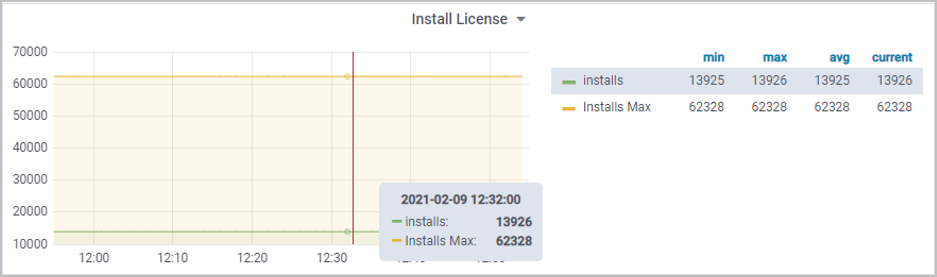
The licensing dashboards are:
- Installs — client installs license usage
- Lines — VidyoLines license usage
- Seats — seat license usage
View server metrics
Analyze near real-time server-level metrics for VidyoPortal and VidyoRouter.
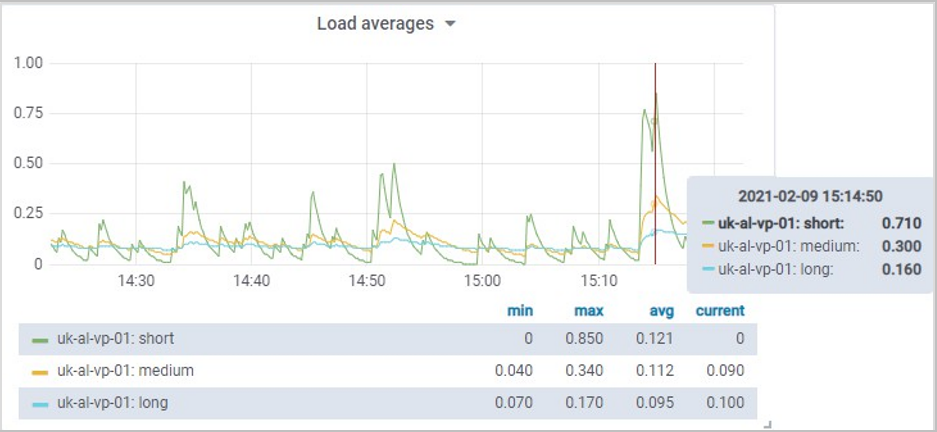

The server metrics dashboards are:
- CPU usage — check how processing is being used on your components over time
- Memory — monitor memory consumption of processes to determine trends
- Network — identify network issues before they impact video performance
- Disk — analyze trends of disk usage and trigger alerts
- Database — track database performance statistics to understand the impact of behaviors
- Processes — monitor key processes to understand when they may be outside of normal operation
Select the data to view
This section contains information on the data presented in the VidyoInsights dashboards.
- Vidyo Platform dashboards
- Server Stats dashboards
- Toolbar
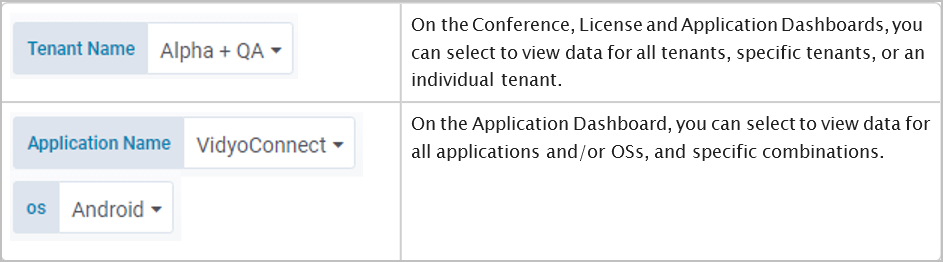
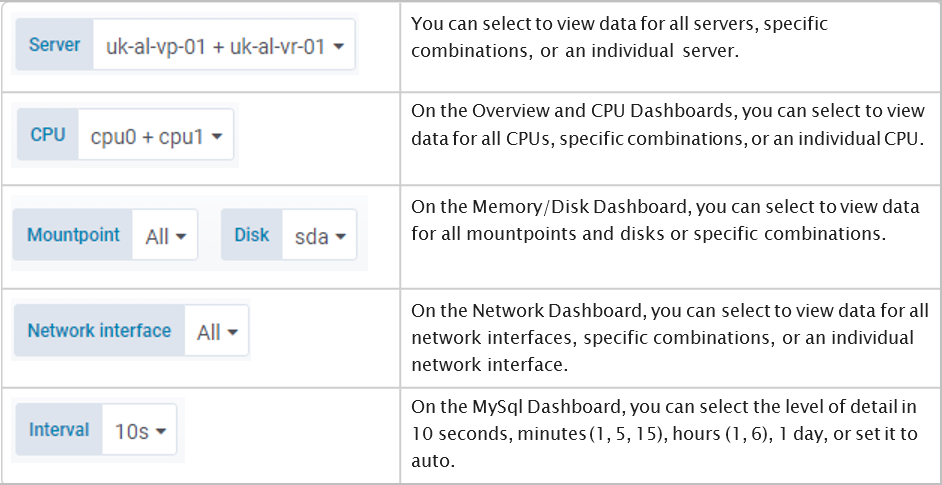
VidyoInsights has various options that enable you to select the data to view on the dashboards.
Vidyo Platform dashboards
Server Stats dashboards
Toolbar

Configure users
VidyoInsights currently supports only locally authenticated users.
There are two user roles:
- Viewer can only view dashboards.
- Admin can add and manage users, permissions, and dashboards.
|
Note
|
Add, edit, or delete a user
To add, edit, or delete a user:
- On the top right of the Dashboards page, click your name, and then click User Configuration. Type your username and password, and click Log In.
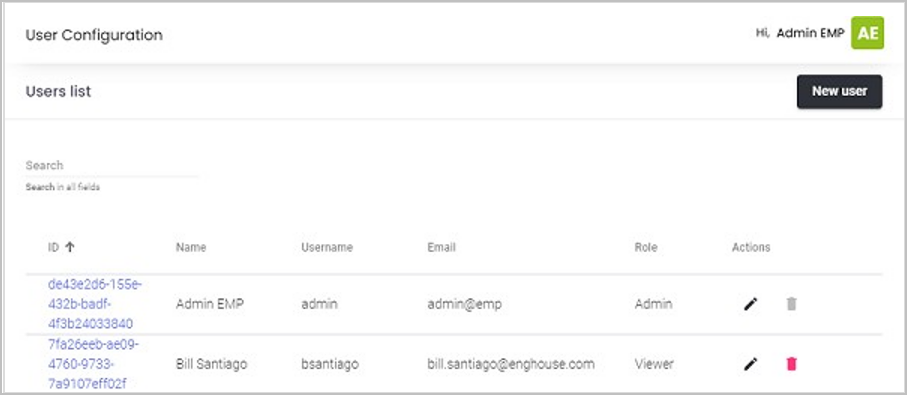
- On the User Configuration page:
- To add a user, click New user. On the User info tab, add the requested information. Click the Change password tab and type the user's initial password. If you want the user to change this password when they first log in, click to enable Temporary. Click the User role tab and select the role to assign this user.
- To edit a user, click the user's edit icon in the Action column and change the information.
- To delete a user, click the user's delete icon in the Action column and confirm the deletion.
