Configure in-room announcements
This section will cover configurations that pertain specifically to the VidyoRoom.
We recommend reading our In-Room Announcements feature brief before configuring the VidyoRoom. This covers setting up prompts and additional settings You will need the supported versions of Desktop and WebRTC applications to be able to send the VidyoRoom prompts.
To enable in-room announcements on VidyoRoom
- Log into the VidyoRoom admin panel.
- Click the Settings tab.
- Scroll down to Preferences.
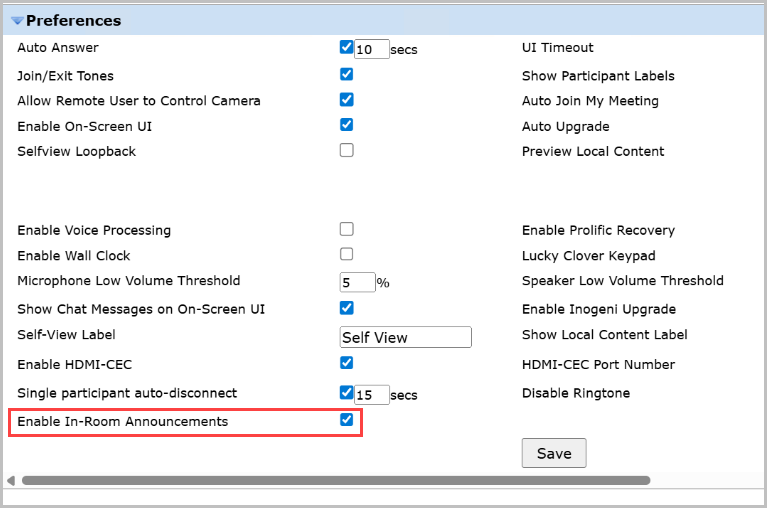
- Check Enable In-Room Announcements.
To customize the pre-announcement chime
- Log into the VidyoRoom admin panel.
- Click on the UI/UX tab.
- Scroll down to Upload Pre-Announcement Chime.

- Choose a .wav file of size not exceeding 1MB.
- Click Upload to have the chime applied.