Version 25.2.0—November 2025
What's new in this release?
- In-room announcements for VidyoRoom systems
- We’ve added support for in-room announcements in our VidyoRoom systems (VidyoRoom, VidyoConnect Room, and VidyoConnect Room SE).
- As part of the feature offering, the Desktop and WebRTC apps are used to send commands to the VidyoRoom systems that support the feature.
- VidyoRooms that support this feature will advertise the capability on the video tile.

- Clicking this will bring up the in-room announcements panel.

- You can select the prompt, and the language to send that prompt in, and hit SEND to send the prompt.
- You’ll see prompts updating you of playback status on the VidyoRoom end.


- We give tenant admins the ability to set up this feature in our dedicated in-room announcement dashboard. You can access this from the desktop application if you’re logged in using tenant admin credentials.
- The access can be found in Settings under Preferences.
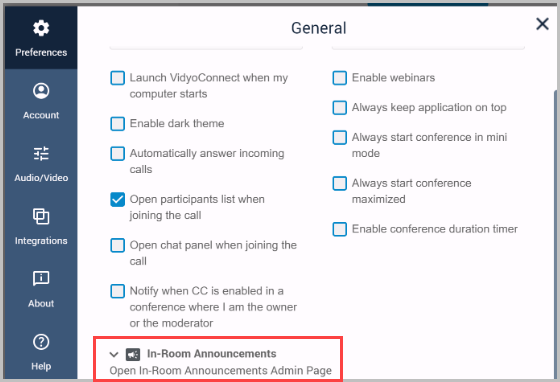
- You can learn more about the dashboard in our dedicated page here.
- URL customization when inviting
- We’ve introduced a new feature in VidyoConnect Desktop where moderator of room can add URL parameters to the link prior to sharing. You’ll see this on your in-call toolbar under Invite to call > SMS, E-mail, and Link.
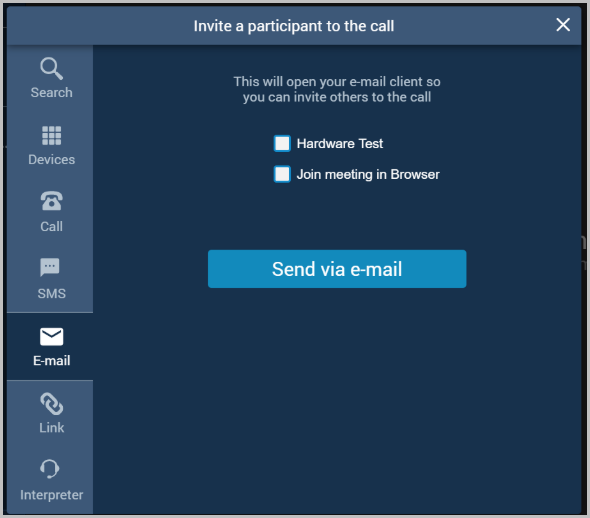
- Hardware test
- Enabling this parameter will make the invitee go through our integrated hardware test wizard.
- You’ll notice the additional Strict parameter becomes available when you enable the Hardware Test parameter.
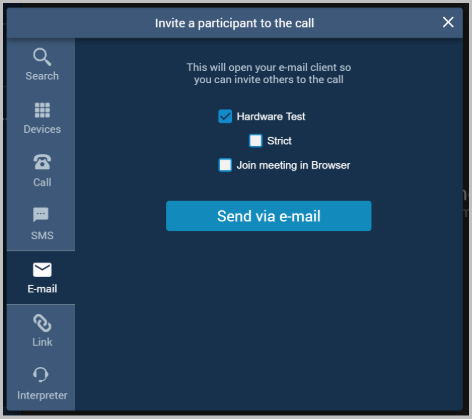
- Enabling Strict adds the hwtStrictMode = 1 URL parameter, and forces the recipients to successfully complete the hardware test prior to joining the call.
- Join Via Web
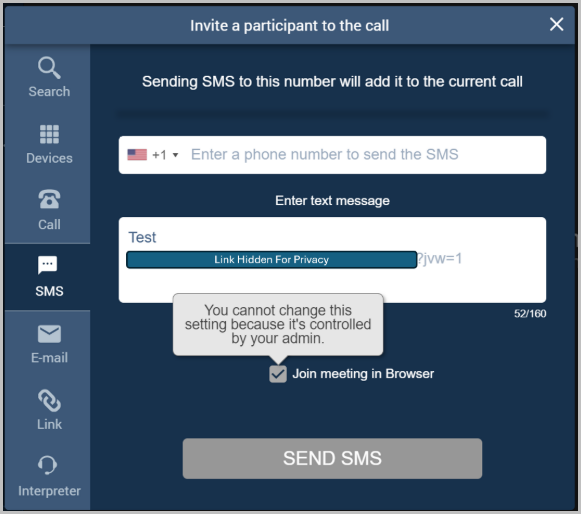
- This parameter will force the invitees to join via web.
- This is the same as setting jvw=1 on the tenant admin portal.
|
Note The SMS invite feature in VidyoConnect desktop has a provision of modifying the text to include the jvw parameter at the tenant admin level. If this is enabled, it will automatically be enabled at the desktop, and the user will not be able to uncheck this. Please see the attached image. |
Resolved issues
The following table lists the issue we have resolved in VidyoConnect for Desktop version 25.2.0.
|
VidyoConnect for Desktop version 25.2.0 - resolved issue |
|
|---|---|
|
Key |
Summary |
|
VIDCOND-9014 |
We’ve fixed an issue where participants may only see a black screen instead of the content that is being shared in the conference. |
Known issues
There are no new known issues for this release.